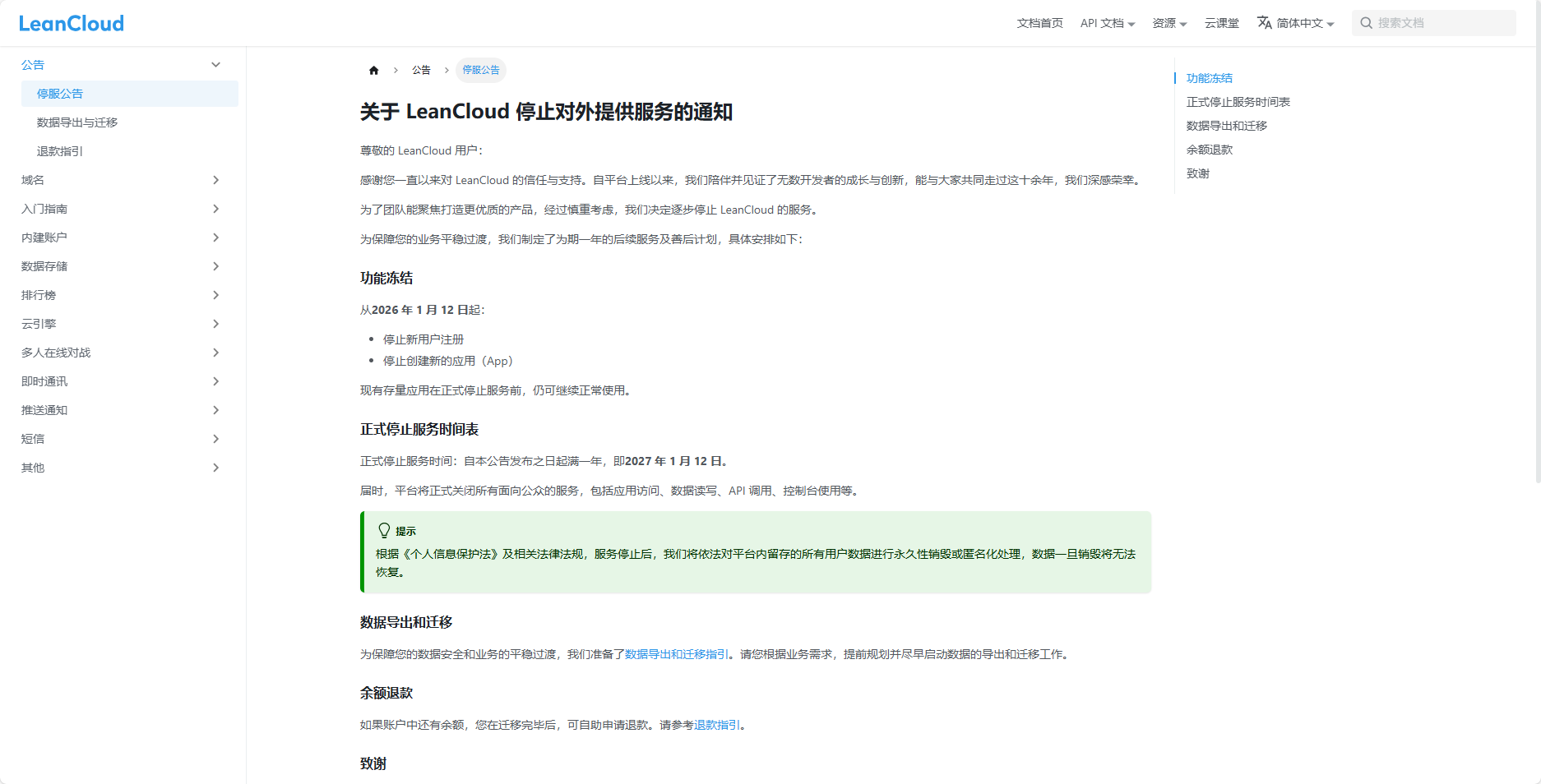
起因是看到了 Leancloud 要跑路了
src: 关于 LeanCloud 停止对外提供服务的通知 | LeanCloud 开发者文档
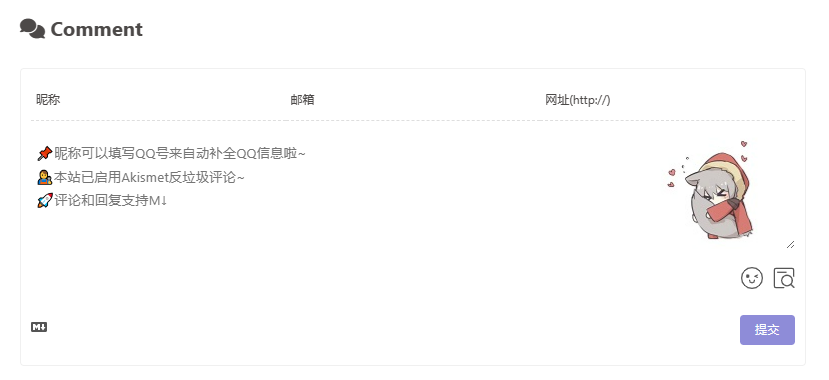
因为我的评论系统 Valine 的数据是用了 Leancloud 作为存储数据库的,Leancloud 这一跑路,我的评论就没法玩了,所以我要找替代方案
虽然我对 Waline 具有一定的偏见(指之前有人刷评论推荐 Waline,然后当时很多用 Valine 的网站都中招了,至今还不知道是谁干的),但是不可否认的是它对 Valine 的数据兼容很优秀,所以想了一下我还是决定迁移到 Waline
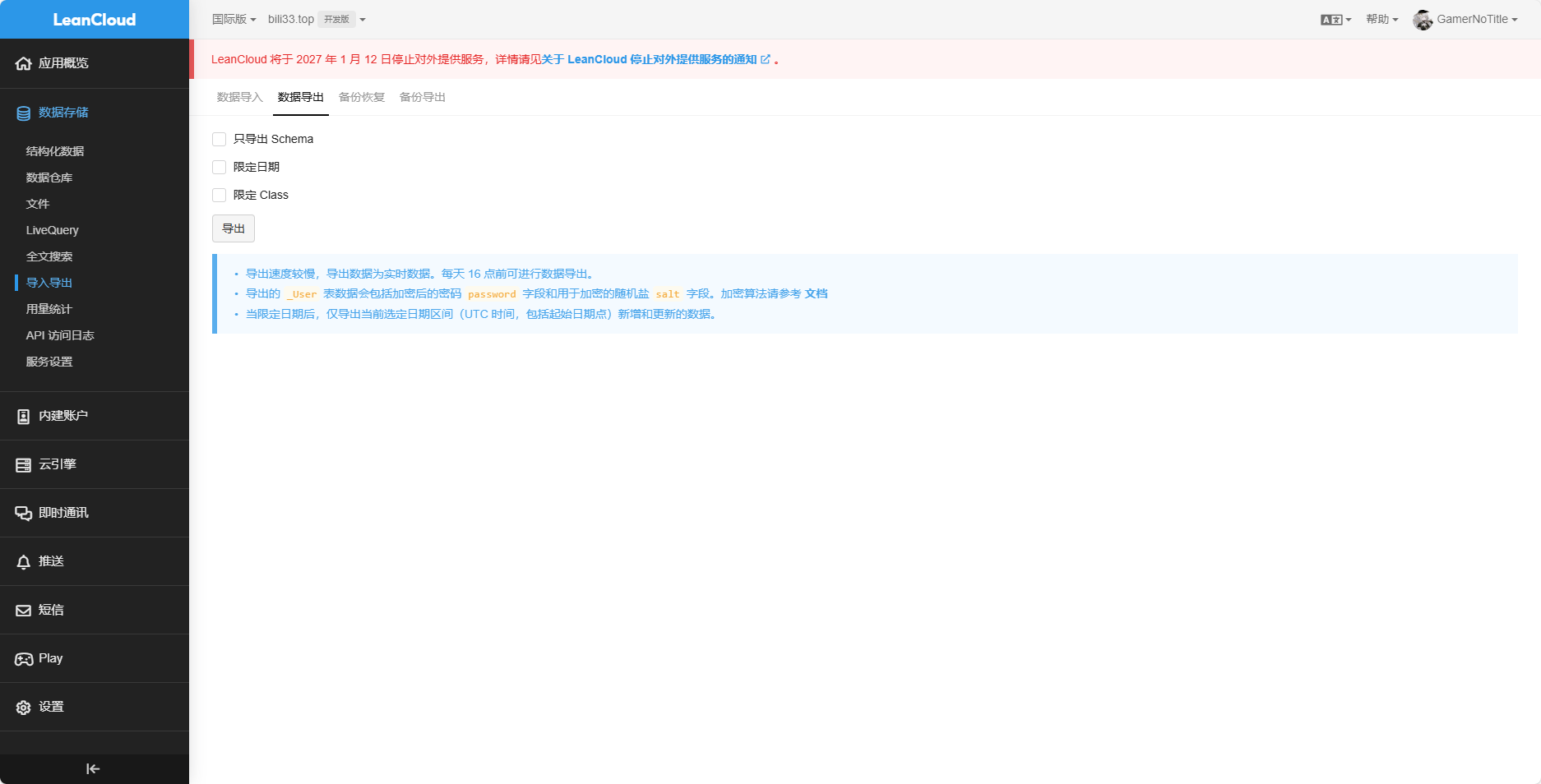
导出数据 这个其实很简单,因为 Leancloud 直接给了导出数据的方式,直接在 Leancloud 自己的后台导出就行
导出后查看一下数据的格式,看到是 jsonl 文件
1 2 #filetype: JSON-streaming { "type" : "Class" , "class" : "Comment" } { "nick" : "[HIDDEN]" , "ip" : "[HIDDEN]" , "updatedAt" : "2023-07-24T02:15:28.613Z" , "ACL" : { "*" : { "read" : true } } , "objectId" : "5d5d4ea833eec30008e8d62d" , "mail" : "[HIDDEN]" , "ua" : "Mozilla/5.0 (Windows NT 10.0; Win64; x64) AppleWebKit/537.36 (KHTML, like Gecko) Chrome/76.0.3809.100 Safari/537.36" , "insertedAt" : { "__type" : "Date" , "iso" : "2019-08-21T14:01:12.424Z" } , "createdAt" : "2019-08-21T14:01:12.799Z" , "link" : "[HIDDEN]" , "comment" : "[HIDDEN]" , "url" : "/link/" , "isNotified" : true }
第一行是文件格式以及一些信息,从第二行开始,每一行都是一条评论,了解完文件格式后,这对我们接下来进行数据迁移就有了抓手
部署 Waline 其实主要是部署后端,因为本身 Butterfly 是带有 Waline 集成的,所以我只用部署好后端就可以了
看了一下 Waline 的文档,我决定使用 TiDB 作为数据库(它给的实在是太多了,免费的数据库还给 5GB)
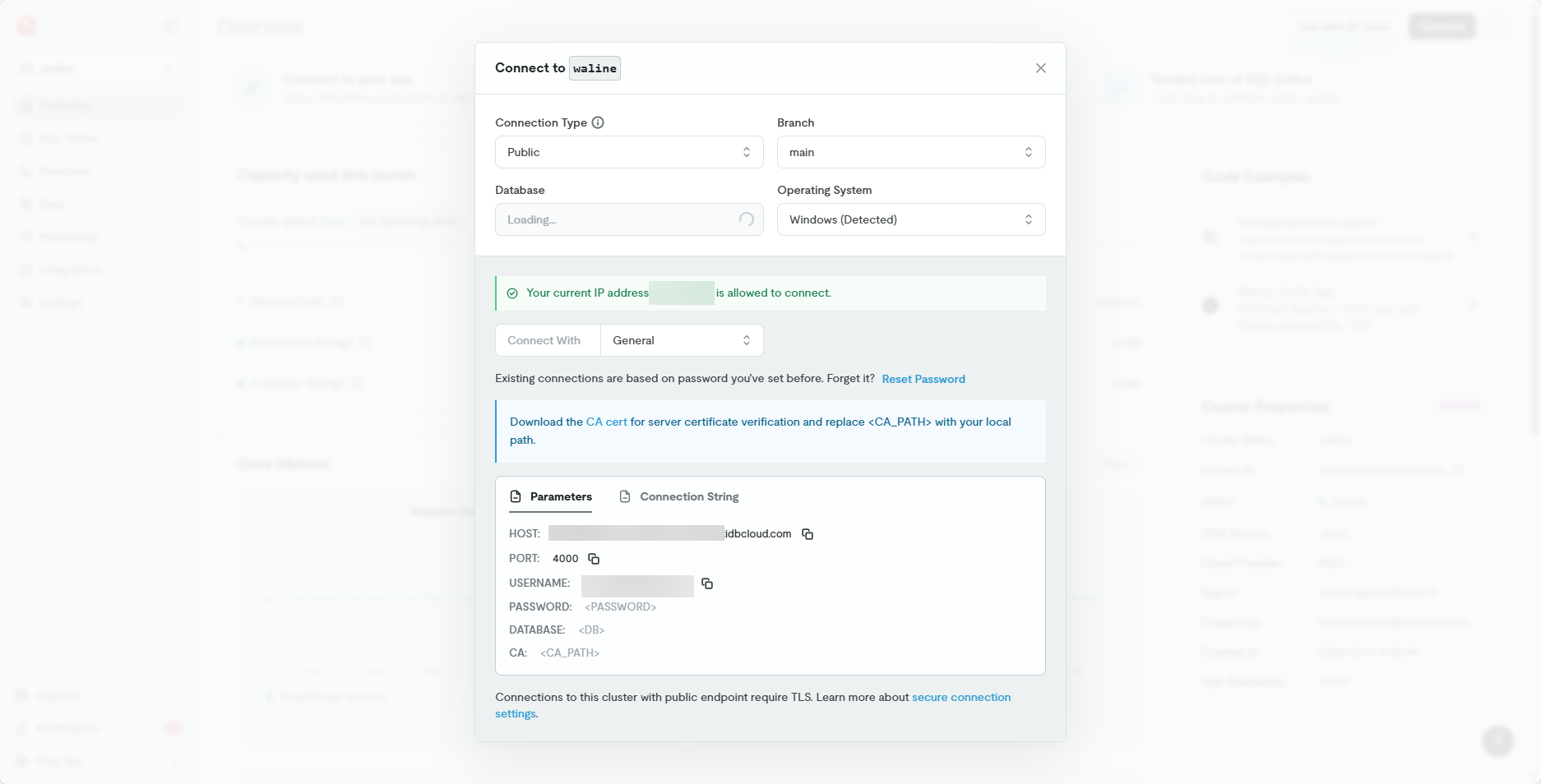
准备数据库 很简单,去 TiDB 注册个号,创建一下数据库,然后在右上方的 connect 按钮按下后就可以看到连接信息,当然了,密码要生成一下
保留一下这些连接信息,然后去到 SQL Editor 跑一下数据库初始化脚本
1
2
3
4
5
6
7
8
9
10
11
12
13
14
15
16
17
18
19
20
21
22
23
24
25
26
27
28
29
30
31
32
33
34
35
36
37
38
39
40
41
42
43
44
45
46
47
48
49
50
51
52
53
54
55
56
57
58
59
60
61
62
63
64
CREATE DATABASE `waline`;USE waline; CREATE TABLE `wl_Comment` ( `id` int (11 ) unsigned NOT NULL AUTO_INCREMENT, `user_id` int (11 ) DEFAULT NULL , `comment` text, `insertedAt` timestamp NULL DEFAULT CURRENT_TIMESTAMP , `ip` varchar (100 ) DEFAULT '' , `link` varchar (255 ) DEFAULT NULL , `mail` varchar (255 ) DEFAULT NULL , `nick` varchar (255 ) DEFAULT NULL , `pid` int (11 ) DEFAULT NULL , `rid` int (11 ) DEFAULT NULL , `sticky` boolean DEFAULT NULL , `status` varchar (50 ) NOT NULL DEFAULT '' , `like ` int (11 ) DEFAULT NULL , `ua` text, `url` varchar (255 ) DEFAULT NULL , `createdAt` timestamp NULL DEFAULT CURRENT_TIMESTAMP , `updatedAt` timestamp NULL DEFAULT CURRENT_TIMESTAMP , PRIMARY KEY (`id`) ) CHARSET= utf8mb4; CREATE TABLE `wl_Counter` ( `id` int (11 ) unsigned NOT NULL AUTO_INCREMENT, `time ` int (11 ) DEFAULT NULL , `reaction0` int (11 ) DEFAULT NULL , `reaction1` int (11 ) DEFAULT NULL , `reaction2` int (11 ) DEFAULT NULL , `reaction3` int (11 ) DEFAULT NULL , `reaction4` int (11 ) DEFAULT NULL , `reaction5` int (11 ) DEFAULT NULL , `reaction6` int (11 ) DEFAULT NULL , `reaction7` int (11 ) DEFAULT NULL , `reaction8` int (11 ) DEFAULT NULL , `url` varchar (255 ) NOT NULL DEFAULT '' , `createdAt` timestamp NULL DEFAULT CURRENT_TIMESTAMP , `updatedAt` timestamp NULL DEFAULT CURRENT_TIMESTAMP , PRIMARY KEY (`id`) ) CHARSET= utf8mb4; CREATE TABLE `wl_Users` ( `id` int (11 ) unsigned NOT NULL AUTO_INCREMENT, `display_name` varchar (255 ) NOT NULL DEFAULT '' , `email` varchar (255 ) NOT NULL DEFAULT '' , `password` varchar (255 ) NOT NULL DEFAULT '' , `type` varchar (50 ) NOT NULL DEFAULT '' , `label` varchar (255 ) DEFAULT NULL , `url` varchar (255 ) DEFAULT NULL , `avatar` varchar (255 ) DEFAULT NULL , `github` varchar (255 ) DEFAULT NULL , `twitter` varchar (255 ) DEFAULT NULL , `facebook` varchar (255 ) DEFAULT NULL , `google` varchar (255 ) DEFAULT NULL , `weibo` varchar (255 ) DEFAULT NULL , `qq` varchar (255 ) DEFAULT NULL , `oidc` varchar (255 ) DEFAULT NULL , `2 fa` varchar (32 ) DEFAULT NULL , `createdAt` timestamp NULL DEFAULT CURRENT_TIMESTAMP , `updatedAt` timestamp NULL DEFAULT CURRENT_TIMESTAMP , PRIMARY KEY (`id`) ) CHARSET= utf8mb4;
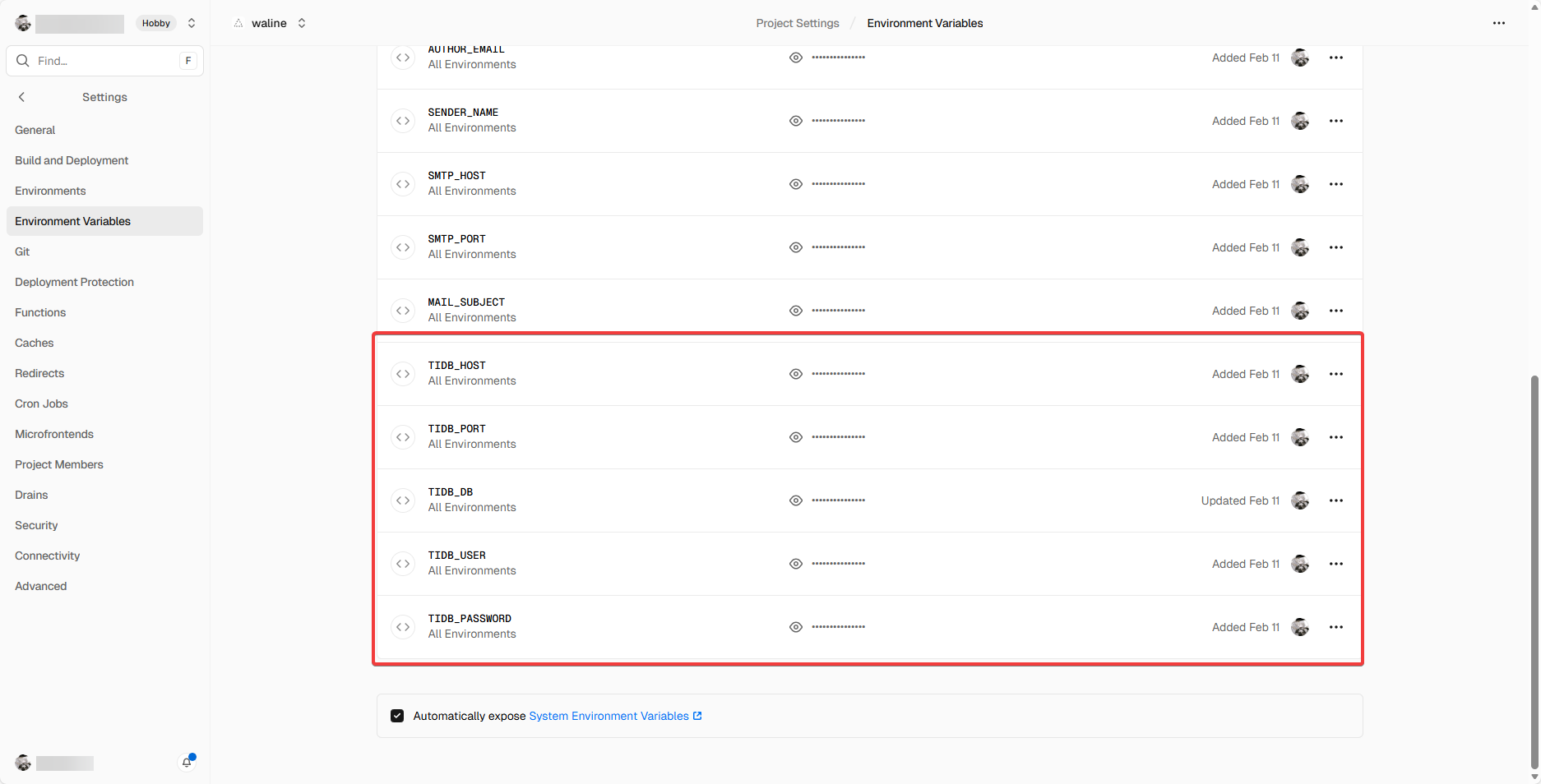
对接数据库 我是直接在 Vercel 上部署的,直接参照官方文档部署一下就可以了,主要是要注意别忘了填各种环境变量
迁移数据 因为刚刚我们说到,导出的数据库格式是 jsonl,且第一行为表信息
因为我懒,所以直接让 AI 跑一个脚本。原来 Valine 的数据里面是有垃圾评论标记的,这里要适配到 Waline 上。此外我这里因为已经创建过账户了,所以在迁移用户的时候遇到我自己就不要创建账户了
1
2
3
4
5
6
7
8
9
10
11
12
13
14
15
16
17
18
19
20
21
22
23
24
25
26
27
28
29
30
31
32
33
34
35
36
37
38
39
40
41
42
43
44
45
46
47
48
49
50
51
52
53
54
55
56
57
58
59
60
61
62
63
64
65
66
67
68
69
70
71
72
73
74
75
76
77
78
79
80
81
82
83
84
85
86
87
88
89
90
91
92
93
94
95
96
97
98
99
100
101
102
103
104
105
106
107
108
109
110
111
112
113
114
115
116
117
118
119
120
121
122
123
124
125
126
127
128
129
130
131
132
133
import jsonimport pymysqldb_config = { "host" : "" , "port" : 4000 , "user" : "" , "password" : "" , "database" : "waline" , "ssl_verify_cert" : True , "ssl_verify_identity" : True , "ssl_ca" : "" } def parse_date (val ): if not val: return None if isinstance (val, dict ): if val.get('__type' ) == 'Date' : val = val.get('iso' ) elif '$date' in val: val = val.get('$date' ) if not isinstance (val, str ): return None return val.replace('T' , ' ' ).replace('Z' , '' )[:19 ] def migrate (): conn = pymysql.connect(**db_config) cursor = conn.cursor() email_to_userid = {"admin@bili33.top" : 2 } old_cid_to_new_cid = {} try : print ("正在同步用户数据..." ) with open ('_User.0.jsonl' , 'r' , encoding='utf-8' ) as f: for line in f: if line.startswith('#' ) or not line.strip(): continue user = json.loads(line) email = user.get('email' ) if email and email not in email_to_userid: cursor.execute("SELECT id FROM wl_Users WHERE email = %s" , (email,)) row = cursor.fetchone() if row: email_to_userid[email] = row[0 ] else : sql = "INSERT INTO wl_Users (display_name, email, password, type, createdAt, updatedAt) VALUES (%s, %s, %s, %s, %s, %s)" cursor.execute(sql, (user.get('username' ), email, '' , 'guest' , parse_date(user.get('createdAt' )), parse_date(user.get('updatedAt' )))) email_to_userid[email] = cursor.lastrowid conn.commit() print ("正在插入评论数据..." ) with open ('Comment.0.jsonl' , 'r' , encoding='utf-8' ) as f: for line in f: if line.startswith('#' ) or not line.strip(): continue cmt = json.loads(line) mail = cmt.get('mail' ) status = 'approved' if cmt.get('isSpam' ) is True : status = 'spam' user_id = None if cmt.get('nick' ) == 'GamerNoTitle' or mail == 'admin@bili33.top' : user_id = 2 elif mail in email_to_userid: user_id = email_to_userid[mail] sql = """INSERT INTO wl_Comment (user_id, comment, insertedAt, ip, link, mail, nick, ua, url, createdAt, updatedAt, status) VALUES (%s, %s, %s, %s, %s, %s, %s, %s, %s, %s, %s, %s)""" cursor.execute(sql, ( user_id, cmt.get('comment' ), parse_date(cmt.get('insertedAt' )), cmt.get('ip' ), cmt.get('link' ), mail, cmt.get('nick' ), cmt.get('ua' ), cmt.get('url' ), parse_date(cmt.get('createdAt' )), parse_date(cmt.get('updatedAt' )), status )) new_id = cursor.lastrowid old_id = cmt.get('objectId' ) old_cid_to_new_cid[old_id] = new_id conn.commit() print ("正在修复 PID/RID 关系..." ) with open ('Comment.0.jsonl' , 'r' , encoding='utf-8' ) as f: for line in f: if line.startswith('#' ) or not line.strip(): continue cmt = json.loads(line) old_id = cmt.get('objectId' ) old_pid = cmt.get('pid' ) old_rid = cmt.get('rid' ) new_id = old_cid_to_new_cid.get(old_id) new_pid = old_cid_to_new_cid.get(old_pid) if old_pid else None new_rid = old_cid_to_new_cid.get(old_rid) if old_rid else None if new_pid or new_rid: cursor.execute("UPDATE wl_Comment SET pid = %s, rid = %s WHERE id = %s" , (new_pid, new_rid, new_id)) conn.commit() print ("✅ 迁移成功!垃圾评论已标记为 spam。" ) except Exception as e: conn.rollback() print (f"❌ 错误: {e} " ) finally : cursor.close() conn.close() if __name__ == "__main__" : migrate()
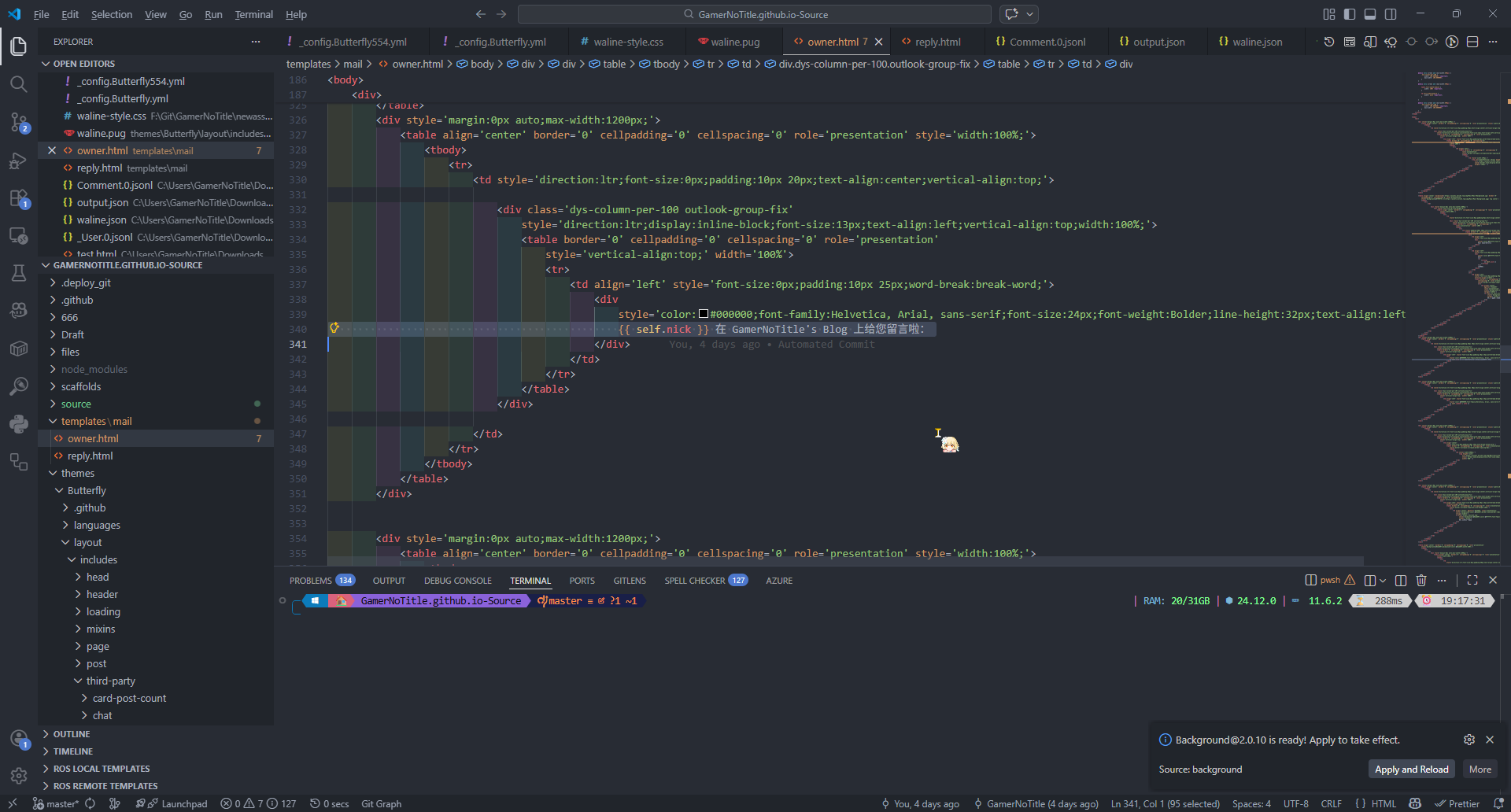
迁移模板 我的邮件模板是我之前自己撸的,而 Valine 用的 ejs 语法,Waline 是类似于 jinja2 的语法,所以需要做一个小修改
而且 Waline 有几个特定的变量可用
self 代指这条评论本身的信息
parent 代指父评论,如果当前评论是一条回复,那就存在这个变量
site 代指站点设置,可以用于填充站点信息
所以只要在之前的变量位置修改为特定的格式即可
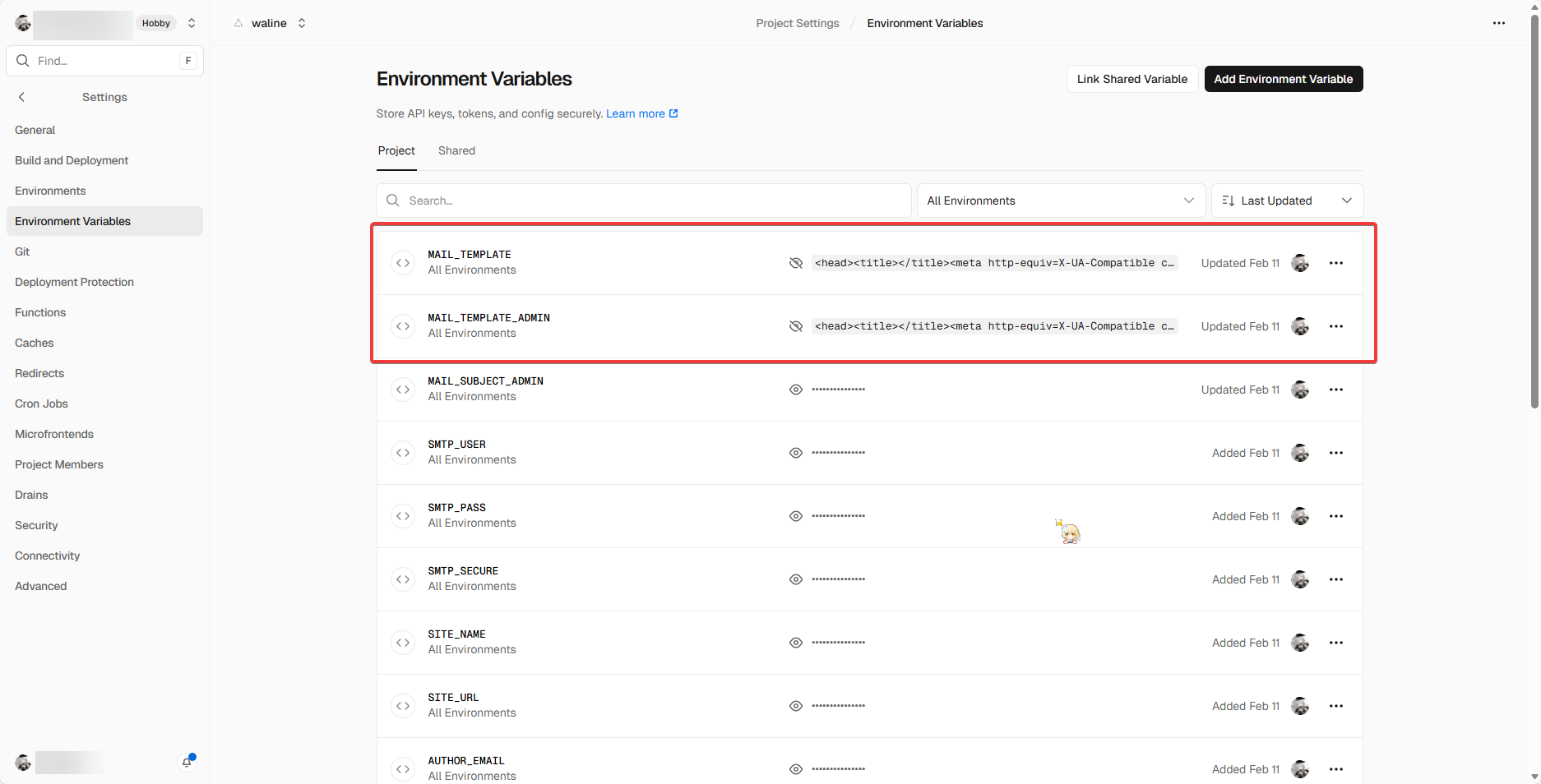
改完了找一个 minify 的小应用,压缩一下 html 代码,然后填入变量位置即可,顺带把邮件的 smtp 信息填充上
修改样式 因为 Waline 集成在我的网站上看起来不是很搭,而且有些地方怪怪的,于是我又做了一点小修改,直接引入了自定义 css
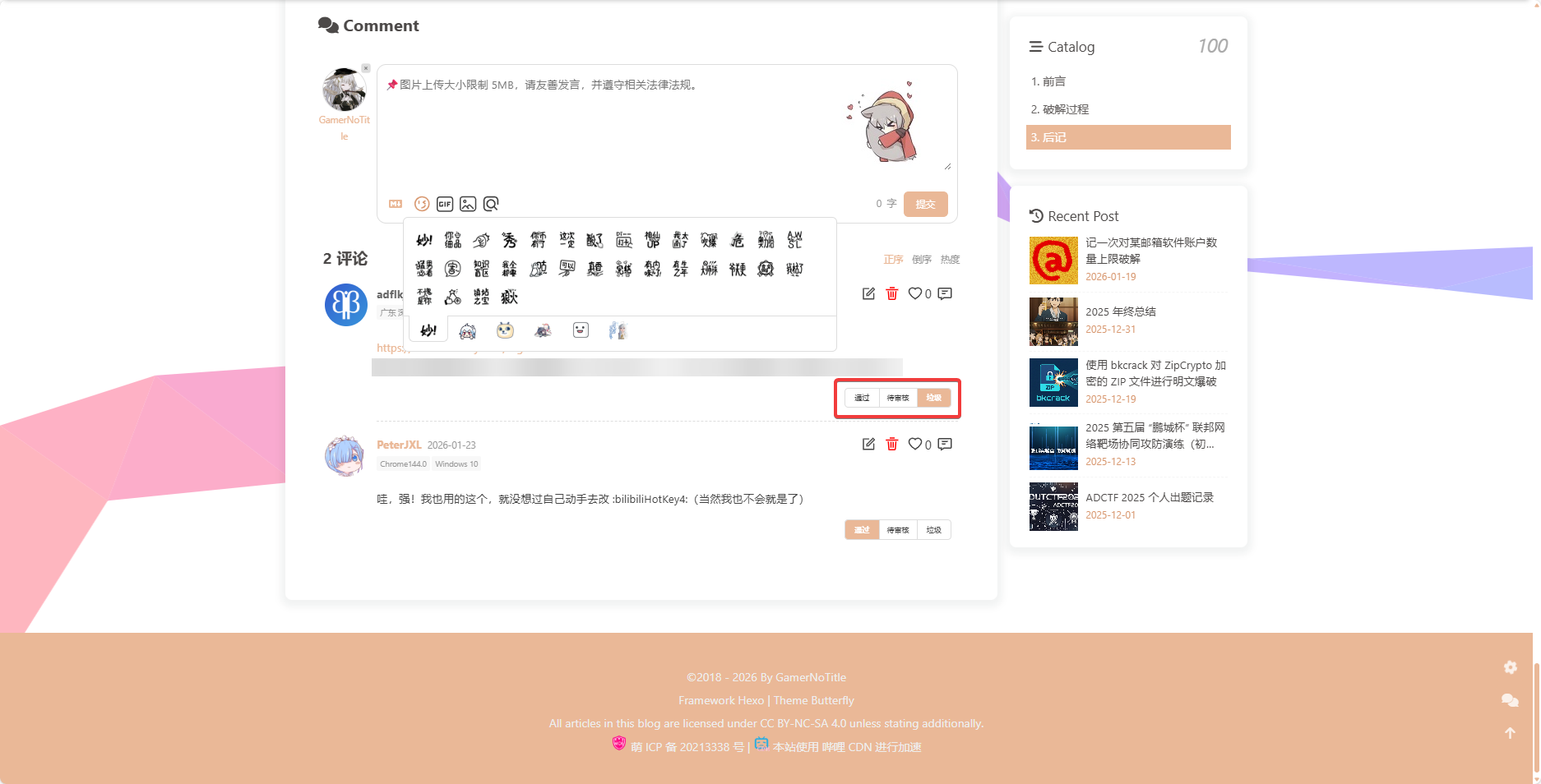
主要就是改了表情弹窗的高度,不然有个 overflow 条真的很丑,顺带把编辑器的 focus 背景图给加回来,不然聚焦的时候背景里的红就没了
顺带再把管理员登录下的评论垃圾标记调整的那个功能的样式也改了
1
2
3
4
5
6
7
8
9
10
11
12
13
14
15
16
17
18
19
20
21
22
23
24
.wl-btn :disabled { background-color : #eab897 !important ; color : #fff !important ; font-weight : bold; } .wl-emoji-popup .wl-tabs { height : 2.8em !important ; overflow-x : hidden !important ; } #waline-wrap textarea .wl-editor { background : url ("https://assets.bili33.top/img/Settings/Valine-BG.jpg" ) 100% 100% no-repeat !important ; } .wl-card .wl-badge { border : 1px solid #eab897 !important ; color : #eab897 !important ; }
添加图片上传功能 这个是迁移到 Waline 后我发现它自己有的一个功能,因为我有一个图床 https://bili33.eu.org ,并且一直没怎么用,所以就想着这次用上
在 Waline 的 Cookbook 中给了一个例子
src: https://waline.js.org/cookbook/customize/upload-image.html#%E6%A1%88%E4%BE%8B
1
2
3
4
5
6
7
8
9
10
11
12
13
14
15
16
17
18
19
20
21
22
23
24
25
26
27
28
29
30
31
32
33
34
35
36
37
38
<!doctype html > <html > <head > <meta charset ="UTF-8" /> <meta name ="viewport" content ="width=device-width, initial-scale=1.0" /> <title > Waline imageUploader 案例</title > <link rel ="stylesheet" href ="https://unpkg.com/@waline/client@v3/dist/waline.css" /> </head > <body > <div id ="waline" style ="max-width: 800px; margin: 0 auto" > </div > <script type ="module" > import { init } from 'https://unpkg.com/@waline/client@v3/dist/waline.js' ; const waline = init ({ el : '#waline' , serverURL : 'https://waline.vercel.app' , path : '/' , lang : 'en-US' , imageUploader : (file ) => { let formData = new FormData (); let headers = new Headers (); formData.append ('file' , file); headers.append ('Authorization' , '!{API TOKEN}' ); headers.append ('Accept' , 'application/json' ); return fetch ('!{API URL}' , { method : 'POST' , headers : headers, body : formData, }) .then ((resp ) => resp.json ()) .then ((resp ) => resp.data .links .url ); }, }); </script > </body > </html >
说白了就是讲 waline 的 imageUploader 写成一个匿名函数,其中变量是 file,即 binary 内容
根据我这个图床的 api 文档,我就直接写出来了这样的配置
api 文档:https://cfbed.sanyue.de/api/upload.html
1
2
3
4
5
6
7
8
9
10
11
12
13
14
15
16
17
18
19
20
21
22
23
24
25
26
27
function initWaline () { const waline = Waline .init (Object .assign ({ el : '#waline-wrap' , serverURL : '!{serverURL}' , pageview : !{lazyload ? false : pageview}, dark : 'html[data-theme="dark"]' , path : window .location .pathname , comment : !{lazyload ? false : count}, imageUploader : (file ) => { let formData = new FormData (); let headers = new Headers (); let query = new URLSearchParams (); formData.append ('file' , file); headers.append ('Authorization' , 'Bearer AUTH_TOKEN_HERE' ) headers.append ('User-Agent' , 'Paff-Waline/1.0' ) return fetch ('https://img.bili33.top/upload' , { method : 'POST' , headers : headers, body : formData, }).then ((resp ) => resp.json ()) .then ((data ) => 'https://img.bili33.top' + data[0 ].src ) } }, !{JSON .stringify (option)})) }
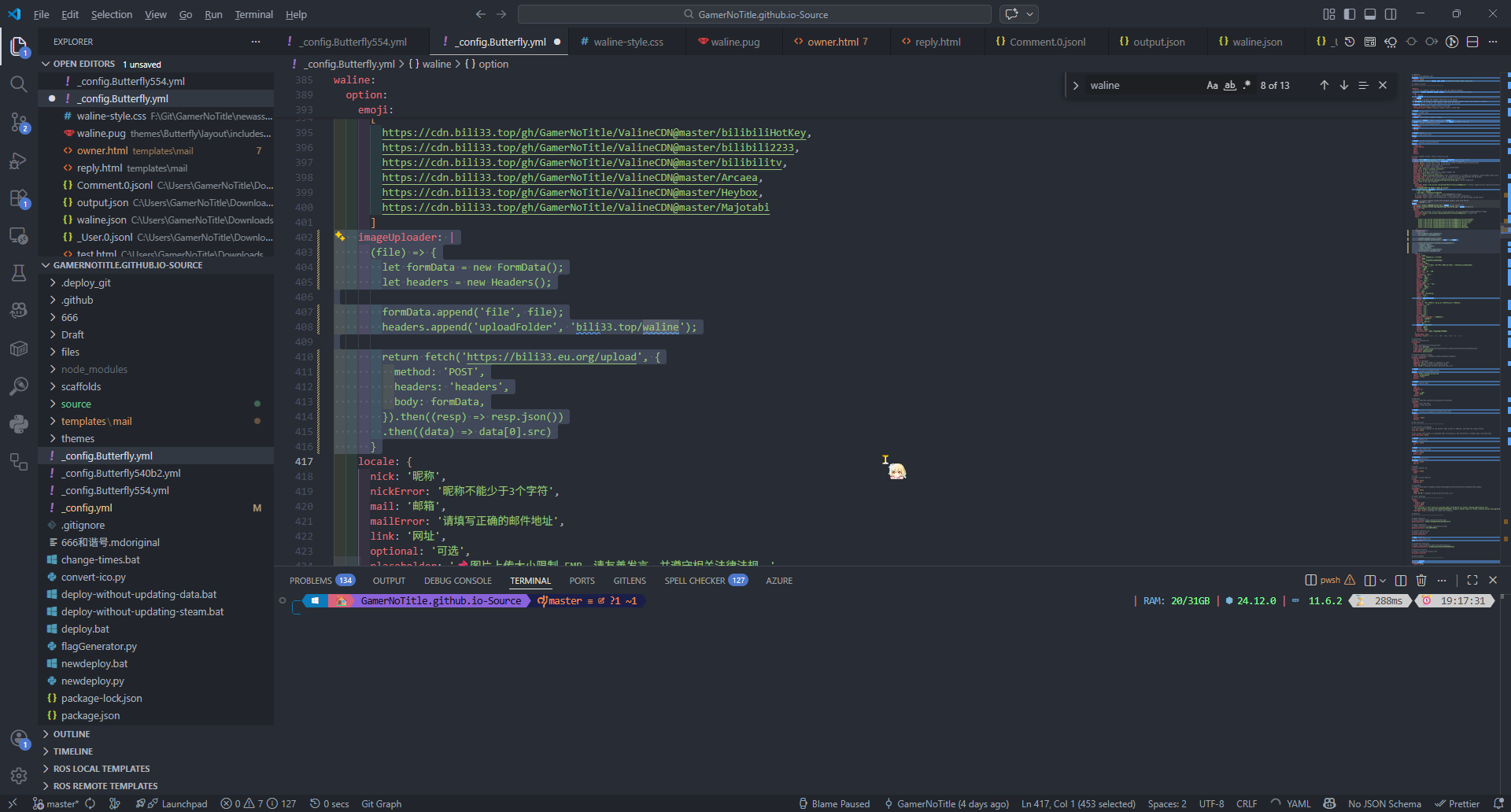
最开始,我是直接写在了 Butterfly 的配置里面的
但是这样会导致初始化后的 waline 空间的 imageUploader 里面为字符串,也就是说 Butterfly 并不会把我的函数正确写成函数,而是写成字符串
所以没办法,就直接改主题了(反正我万年不更新)
修改 Waline 文件上传大小限制并重新生成 搞完上面加图床的事情以后,发现 Waline 自身存在上传大小限制,并且只给了 128KB
我也能理解这个操作,毕竟它是用 base64 直接编码在评论里的,它的 discussion 也有这样的帖子
如何修改图片上传大小限制? · walinejs · Discussion #1727
所以只能自己改一个 Waline 出来然后生成对应的 js 了,直接 clone 下来并找到对应的函数
1
2
3
4
5
6
7
8
9
10
export const defaultUploadImage = (file : File ): Promise <string > => new Promise ((resolve, reject ) => { if (file.size > 128 * 1000 ) return reject (new Error ('File too large! File size limit 128KB' )); const reader = new FileReader (); reader.readAsDataURL (file); reader.onload = (): void =>resolve (reader.result as string ); reader.onerror = reject; });
改掉条件和提示就行了
1 if (file.size > 5120 * 1000 ) return reject (new Error ('File too large! File size limit 5MB' ));
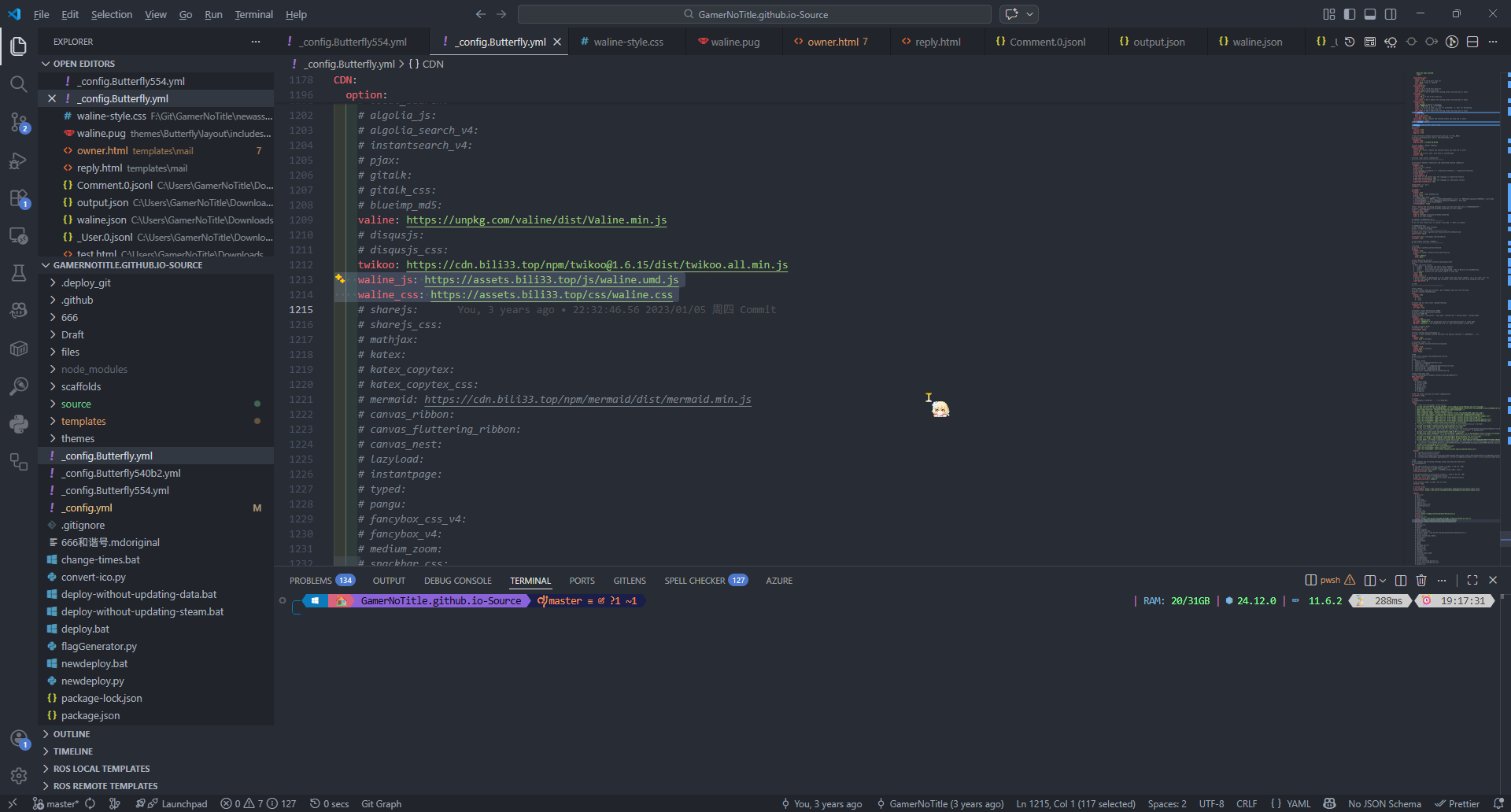
然后跑 pnpm build,在 dist 目录下找到 waline.umd.js 然后用 <script> 标签引入即可
至此,所有的迁移工作都完成了
后记 说实话,我是没想到只是迁移一个评论系统会涉及到这么多的工作,我以为只是简单的数据迁移
但实际操作起来,还是发现坑有点多,就一个一个攻克过来了

 微信
微信